
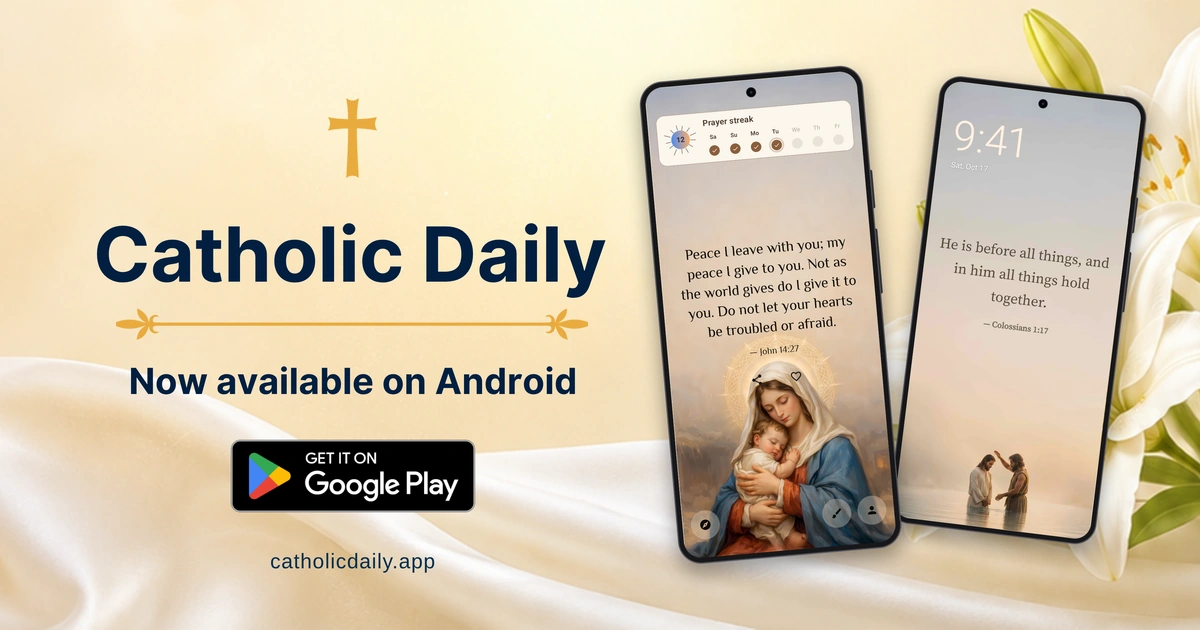
Catholic Daily officially launched on Android on October 22, 2026. You can now download it from Google Play and bring Scripture, saint quotes and the rhythm of the Church year into your everyday routine. The app works on Android 9 or later, with content and an interface in English, Spanish and Portuguese.
Get Catholic Daily on Google Play
A small invitation to faith throughout your day
You do not always have time for a long reading when you pick up your phone. Sometimes a short verse, a thought from a saint or a reminder of today's feast is enough to invite a moment of prayer.
Catholic Daily brings those little invitations to your Android Home Screen. Open the app when you want to read more, save a favorite or spend a few quiet minutes with the daily Gospel. There are no ads and no required sign-in, so you can begin without creating an account.
Catholic widgets for your Android Home Screen
The Android release includes three Home Screen widgets:
- Daily Quote: Keep a Bible verse or saint quote in view, with a theme that suits your screen.
- Liturgical Calendar: See the day's liturgical observance and stay close to the Church's seasons and feast days.
- Prayer Streak: Follow your daily app visits and build a habit of returning. The streak records visits to the app; it does not measure completed prayers.
Start with one widget and give it a place you will notice naturally. You can move it later or resize it if your Android launcher supports that option.
Read, pray and make it your own
Inside the app, the daily Gospel sits alongside the Catholic liturgical calendar. Read the Gospel with verse numbers and Scripture references, explore the monthly calendar and follow feasts, solemnities, fasting and abstinence through the year.
Browse Bible verses and saint quotes by topic, save favorites and share quotes as images. You can also add your own private quotes and choose themes for the app and widgets.
Prayer reminders help you make room for a pause during a busy day. A Sacred Moment lets you schedule a prayer alarm. Optional Prayer Focus, with the permissions you choose to grant, can pause selected distracting apps during that moment.
Android also offers quote wallpaper for the Home Screen, Lock Screen or both, including a daily update option. Lock Screen wallpaper is an image background; Android's three widgets are added to the Home Screen.
Get started in a few minutes
- Install Catholic Daily from Google Play on a device running Android 9 or later.
- Open it once, choose your language and explore the quotes and calendar.
- Touch and hold an empty area of your Home Screen, then choose Widgets.
- Find Catholic Daily and add a Daily Quote, Liturgical Calendar or Prayer Streak widget.
- Place it where it feels useful. Widget menus and resizing options vary by device and launcher.
Our Home Screen widget guide includes the Android setup steps. If a widget updates late, check your device's battery restrictions for the app.
Begin with one daily habit
Patron is an optional paid upgrade, offering the complete quote and topic library, additional themes and more customization and scheduling options. You can start using Catholic Daily without subscribing.
We are happy to welcome Android users to Catholic Daily. Try one widget, read today's Gospel and let a small moment of faith become part of your day.